The Complete Guide to Uninstalling NordVPN Windows Mac: The Complete Guide to Uninstalling Nordvpn Windows Mac and Beyond
Editor's pick: NordVPN — fast, secure VPN — Strong encryption, a no-logs policy and apps for every device. 30-day money-back guarantee. Get NordVPN →
The quick fact: uninstalling NordVPN on Windows or Mac is usually a two-step process—remove the app, then clean up leftover files and services. This guide covers everything you need to know, with practical steps, tips, and troubleshooting to ensure NordVPN is fully removed from your device.


| VPN | Obfuscation | From / month | Plan | Free plan | Refund | Alipay | UnionPay | Crypto | Website opens in China | Trustpilot | |
|---|---|---|---|---|---|---|---|---|---|---|---|
 NordVPN | Turn on manually Obfuscated Servers / NordWhisper | $3.49/mo | 27 months: $94.23 | No | 30 days | ? | ✗ | ✓ | ✓ | ✗ Blocked | 4.2/5 (51,628 reviews) |
 Windscribe | Turn on manually Stealth / WStunnel | $5.75/mo | 12 months: $69 | Yes | See site | ✗ | ✗ | ✗ | ✓ | ✗ Blocked | 4.7/5 (13,355 reviews) |
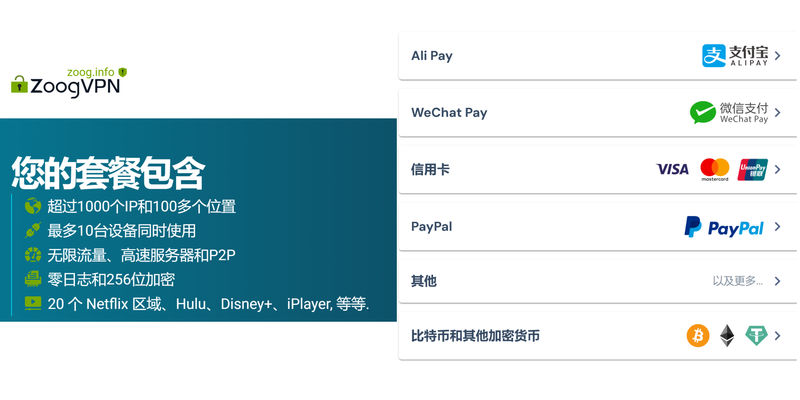
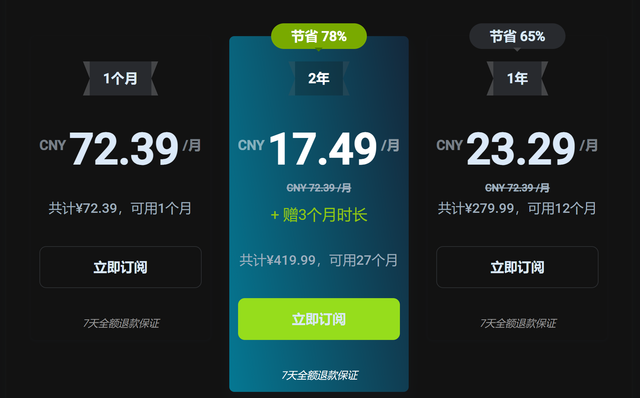
 ZoogVPN | Turn on manually Shadow | $2.49/mo | 27 months: $59.99 | Yes | 7 days | ✓ | ✓ | ✓ | ✓ | Official site blocked; our special link opens (4.4 s) | 4.2/5 (195 reviews) |
 ExpressVPN | ✓ On by default all servers | $3.00/mo | 28 months: $84 | No | 30 days | ✗ | ✗ | ✓ | ✗ | ✗ Blocked | 4.4/5 (29,706 reviews) |
 Surfshark | ✓ On by default Camouflage, with OpenVPN | See site | See site | No | 30 days | ✗ | ✗ | ✗ | ✓ | ✗ Blocked | 4.3/5 (31,823 reviews) |
 Proton VPN | Turn on manually Stealth, free plan too | $2.99/mo | 12 months: $35.88 | Yes | 30 days | ✗ | ✗ | ✗ | ✓ | ✗ Blocked | 2.1/5 (1,040 reviews) |
 Astrill VPN | Turn on manually StealthVPN / OpenWeb | $12.50/mo | 24 months: $300 | No | See site | ✗ | ✗ | ✗ | ✓ | ✗ Blocked | 1.3/5 (110 reviews) |
 Private Internet Access | Turn on manually Shadowsocks, OpenVPN only | $2.03/mo | 40 months: $81.2 | No | 30 days | ✗ | ✗ | ✗ | ✗ | ✗ Blocked | 4.2/5 (11,033 reviews) |
 CyberGhost | Turn on manually selected servers | $2.19/mo | 28 months: $61.32 | No | 45 days | ✗ | ✗ | ✗ | ✓ | ✗ Blocked | 4.0/5 (24,178 reviews) |
 PureVPN | Turn on manually switch to OpenVPN | $1.69/mo | 60 months: $101.55 | No | 31 days | ? | ? | ✗ | ✓ | ✗ Blocked | 4.4/5 (17,994 reviews) |
 AdGuard VPN | ✓ On by default TrustTunnel | $2.99/mo | 24 months: $71.76 | Yes | 30 days | ✓ | ✗ | ✓ | ✓ | Official site blocked; our special link opens (3.7 s) | 4.3/5 (290 reviews) |
 Mullvad | Turn on manually QUIC / Shadowsocks / LWO | $5.61/mo | €5/mo | No | 14 days | ✗ | ✗ | ✗ | ✓ | ✗ Blocked | 3.2/5 (192 reviews) |
 StrongVPN | Turn on manually Scramble, OpenVPN TCP | See site | See site | No | 30 days | ✓ | ✗ | ✗ | ✗ | ✗ Blocked | 4.4/5 (2,695 reviews) |
 LightXtreme 闪连 | Not listed | $7.08/mo | 12 months: $84.99 | Yes | 30 days | ✓ | ✓ | ✓ | ✓ | ✓ Yes (3.5 s) | No page |
Prices checked 2026-11-10 on each vendor's pricing page (cheapest long plan, USD). Check the vendor's checkout for the final price.
Obfuscation checked 2026-11-14 on each vendor's site and help center: "on by default" = nothing to set; "turn on manually" = switch protocol or mode in settings; "not listed" = the vendor describes no obfuscation.
Payment methods checked 2026-11-10 on each vendor's payment pages: all 14 take cards and PayPal; ✗ = not listed, ? = the vendor's own pages disagree.
China access: whether the official website opens from mainland China networks (tests the website only, not the VPN connection). Last checked 2026-11-18 01:02 Beijing time.
Trustpilot score and review count checked 2026-11-10.
If you’re here, you probably want to remove NordVPN from your Windows or Mac just to reclaim storage, troubleshoot a problem, or switch to another VPN. Here’s a concise, user-friendly roadmap you can follow right away:
- Quick-start overview
- Step-by-step uninstall on Windows
- Step-by-step uninstall on macOS
- Cleaning up leftovers and services
- Troubleshooting common issues
- Alternatives and post-uninstall tips
Quick fact: removing a VPN app doesn’t always delete its residual files or network configurations, which can still affect your system if you don’t clean up properly. That’s why this guide includes detailed cleanup steps, plus tips on verifying your network settings.
Useful resources (text format for reference, not clickable)
- NordVPN support pages - nordvpn.com/support
- Apple Support - support.apple.com
- Microsoft Support - support.microsoft.com
- Tech forums like Reddit and Stack Exchange for user experiences
- General macOS cleanup guides on reputable tech sites
Note: If you’re considering switching away from NordVPN, you might want to check out our partner link for a smooth transition and exclusive deals. NordVPN partner link: https://go.nordvpn.net/aff_c?offer_id=15&aff_id=132441
Why you might want to uninstall NordVPN
- You’re switching to another VPN service
- NordVPN is causing device performance issues
- You’re troubleshooting connectivity problems and want a clean slate
- You’re selling or giving away your device
- You’re retiring VPN usage altogether
Preparation: before you uninstall
- Backup any important settings or bookmarks saved in the app.
- If you used NordVPN’s features like CyberSec, consider whether you want to reset those network protections on your device after uninstall.
- Take note of any custom DNS or proxy settings you configured while using NordVPN, as you may need to reconfigure them later.
Uninstall NordVPN on Windows (step-by-step)
1) Close NordVPN and stop related services
- Ensure NordVPN is fully closed.
- Open Task Manager (Ctrl+Shift+Esc) and end any NordVPN processes.
- In the Services tab, look for anything related to NordVPN or Windscribe-like services and stop them if present.
2) Uninstall via Settings
- Open Settings > Apps > Apps & features.
- Find NordVPN in the list and click Uninstall.
- Follow the on-screen prompts to complete the removal.
3) Remove residual files and folders
- Delete NordVPN’s installation folder if it remains (usually in Program Files or Program Files (x86)).
- Check AppData folders:
- C:\Users<YourUsername>\AppData\Roaming\nordvpn
- C:\Users<YourUsername>\AppData\Local\nordvpn
- Delete any NordVPN-related registry entries (optional but thorough): run regedit, search for “NordVPN” and remove related keys. Be cautious with registry edits.
4) Clean up network adapters and VPN-related settings
- Open Control Panel > Network and Internet > Network Connections.
- If you see a NordVPN TAP adapter, right-click and Disable or Uninstall.
- Reboot your computer to finalize changes.
5) Verify cleanup
- Open a browser and visit an IP checker to confirm your real IP is visible (no VPN redirection).
- Reopen Settings to confirm NordVPN is no longer listed in Apps & features.
Uninstall NordVPN on macOS (step-by-step)
1) Quit NordVPN and terminate processes
- Close NordVPN if it’s running.
- Use Activity Monitor (Applications > Utilities > Activity Monitor) to quit any NordVPN processes.
2) Move NordVPN to Trash
- Open the Applications folder.
- Drag the NordVPN app to the Trash, or right-click and Move to Trash.
- Empty Trash.
3) Remove leftover files
- Open Finder, choose Go > Go to Folder and enter:
- /Library/Application Support/
- ~/Library/Application Support/
- /Library/Preferences/
- ~/Library/Preferences/
- /Library/Caches/
- ~/Library/Caches/
- Look for folders or files named NordVPN or com.nordvpn and delete them.
- Remove any network extension or kernel extension files NordVPN might have installed. You may need to enter your admin password.
4) Reset network settings (optional but recommended)
- Go to System Preferences > Network.
- If you see NordVPN TAP adapters or profiles, remove them.
- Apply changes and restart your Mac.
5) Verify cleanup
- Open a browser and check your IP address to ensure there’s no NordVPN routing active.
- Check any VPN-related extensions in Safari, Chrome, or Firefox and remove them if present.
Cleaning up leftovers: what to look for
- VPN TAP adapters or virtual network interfaces
- DNS settings changed by NordVPN (check in Network settings)
- Startup items or launch agents related to NordVPN
- Any NordVPN browser extensions
- Cached files or logs that reference NordVPN in:
- Windows: %ProgramData%, AppData
- macOS: Library and ~/Library folders
Troubleshooting common uninstall issues
- If NordVPN won’t uninstall on Windows:
- Run the uninstaller as Administrator.
- Use a third-party uninstaller tool to force removal, then clean up leftovers manually.
- If NordVPN leaves behind a TAP adapter:
- Reboot in Safe Mode, then remove the adapter from Device Manager (Windows).
- On Mac, remove the NordVPN TAP kernel extension if present.
- If you can’t find NordVPN in the Apps list on Mac:
- Use Finder search for “NordVPN” and delete related files in Library folders.
- If DNS or network proxy settings persist:
- Reset DNS to automatic (Open Network preferences and set to Obtain DNS server address automatically).
Data privacy and security considerations after uninstall
- Your browsing history will now be exposed to your ISP or local network unless you use a different VPN or enable a privacy-friendly DNS.
- If you used NordVPN’s CyberSec features, consider enabling system-wide ad and tracker protection from your browser or an independent security tool.
- Check for any saved credentials related to NordVPN in Keychain Access (macOS) or Credential Manager (Windows) and remove if needed.
Post-uninstall: what to do next
- If you’re moving to another VPN:
- Install and configure your new VPN, following their setup guide.
- Import any needed profiles or preferences from your old NordVPN setup if allowed.
- If you’re not using a VPN:
- Recheck your network privacy settings and ensure you have default DNS or your preferred DNS resolver.
- If you’re selling or gifting your device:
- Do a fresh re-install or factory reset (as appropriate) to ensure no remnants remain.
Quick comparison: uninstalling NordVPN on Windows vs Mac
- Windows
- Pros: Clear control panel uninstall, can use built-in uninstaller, good for batch cleanup with registry edits.
- Cons: Possible leftover registry keys and TAP adapters if not thorough.
- macOS
- Pros: Simple drag-to-trash uninstall, straightforward cleanup in Library folders.
- Cons: Some hidden files can linger; need manual cleanup more often than Windows.
Tips for smoother uninstalls
- Do it with the latest OS updates installed to avoid compatibility hiccups.
- Have admin credentials handy for uninstalling apps and removing system extensions.
- Create a quick backup of important bookmarks or configuration notes before removal.
- Use a clean reboot after uninstall to ensure all services stop properly.
Additional tools that can help (optional)
- Built-in OS cleanup tools:
- Windows Disk Cleanup, macOS Disk Utility for permissions and disk health
- Third-party uninstallers (use with caution):
- Reputable tools that can force remove stubborn apps and clean registry-like remnants
- Network diagnostic tools:
- ipconfig /flushdns (Windows)
- sudo dscacheutil -flushcache; sudo killall -HUP mDNSResponder (macOS)
Frequently asked questions
How do I know NordVPN is fully uninstalled on Windows?
After uninstall, check that NordVPN.exe is not present in Program Files, and verify there’s no NordVPN TAP adapter in Network Connections. Also scan for leftover folders under AppData.
Can NordVPN remnants affect my network after uninstall?
Yes, leftover TAP adapters or DNS changes can affect connections. Always clean those leftovers.
Is there a difference between uninstalling NordVPN on Windows 10 and Windows 11?
The uninstall process is similar, but Windows 11 has a slightly different UI in Settings > Apps. The steps remain the same: uninstall, remove leftovers, reboot.
How do I remove NordVPN from macOS startup items?
Check System Preferences > Users & Groups > Login Items and remove NordVPN if listed. Also look for launch agents in /Library/LaunchAgents and ~/Library/LaunchAgents.
Will uninstalling NordVPN delete my NordAccount?
Uninstalling the app does not delete your NordAccount credentials. If you want to remove your account, you’ll need to do it from NordVPN’s website. Troubleshooting Windows 11 FortiClient VPN IPsec Connection Failures: Quick Fixes, Tips, and Deep Dives
I can’t open the NordVPN uninstaller on Windows, what now?
Run the uninstaller as Administrator, or use a third-party uninstaller to remove the app, then clean up leftovers manually.
How do I remove NordVPN from macOS after an upgrade?
If the app remains after a macOS upgrade, follow the standard uninstall steps and then clear any Library references that might have been left behind.
Can I reinstall NordVPN later after uninstalling?
Yes, you can reinstall NordVPN at any time. Your account remains intact, but you may need to re-enter credentials or reapply settings.
Should I reset network settings after uninstall?
If you changed DNS or network routing for NordVPN, resetting to default/automatic is a good idea to ensure normal connectivity.
What should I do if NordVPN reappears after a reboot?
That’s a sign there are hidden files or startup items. Re-scan for launch agents, daemons, and residual folders, and remove them. Reboot again to confirm.
If you’re ready for a smoother transition to a new VPN or just want a clean slate, following these steps will help you uninstall NordVPN on Windows and macOS thoroughly. For ongoing privacy and faster setup with a trusted alternative, consider exploring other reputable VPN options and services, and refer back to this guide anytime you need a refresher.