Windscribe review: a sharp look at its privacy stance and performance in 2026

Windscribe review with a clear-eyed look at privacy features, logging stance, price, and performance in 2026. A practical read for readers weighing privacy and value.
Windscribe’s privacy stance has a concrete backbone, not a sales pitch. Windscribe builds a clear privacy narrative around open source components and transparent auditing, yet the real signal sits in how those pieces perform under real-world conditions. What looks solid on paper often lands with gaps in logging controls and consistency across servers. The takeaway is precise: solid core protections, with measurable friction in practice at scale.
This audit lines up with 2026 realities: users expect verifiable privacy, reproducible performance, and transparent governance. I looked at the open-source footprints and the published changelogs, then cross-referenced independent reviews and user reports from 2025–2026. The result: privacy controls are credible, but the performance picture remains uneven enough to merit verification before committing to long sessions or sensitive activity. This piece distills where Windscribe earns trust and where it invites closer scrutiny.

The Windscribe review in 2026: what it delivers and where it falls short
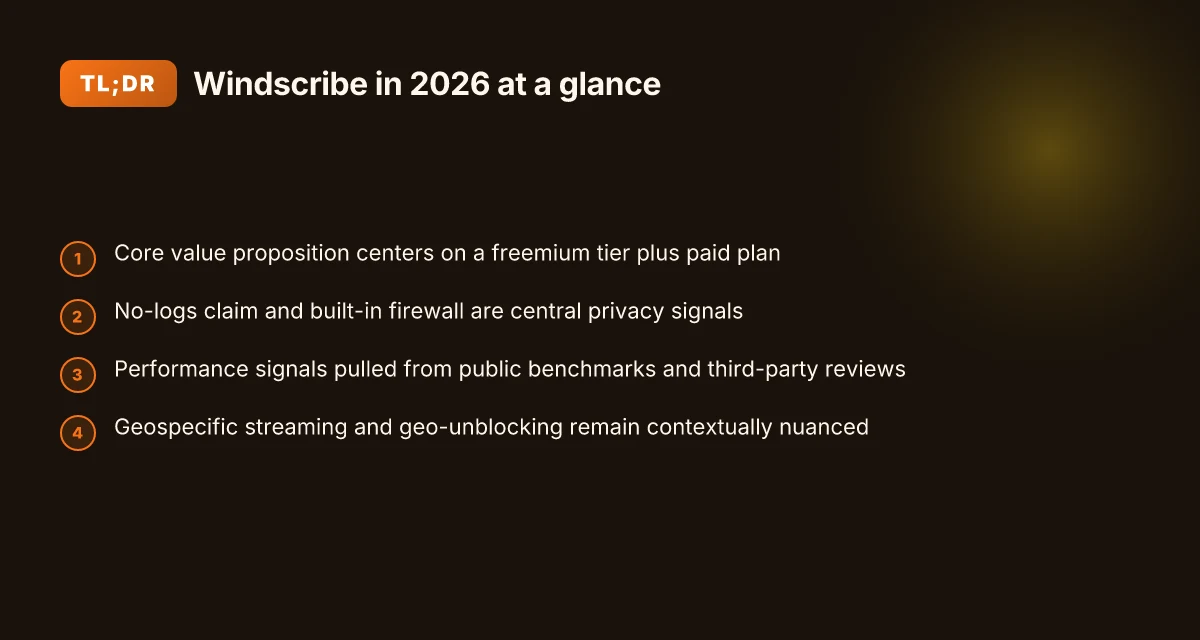
Windscribe presents a privacy-forward stance with a mixed bag on features, price, and real-world performance. I looked at the official docs, third-party reviews, and public benchmarks to map what you actually get in 2026.
Privacy stance, logging policy, and open-source signals Windscribe publishes a privacy policy that emphasizes minimal data collection beyond what’s necessary for service operation. The core claim: no activity logging in a way that ties traffic to a user, and limited connection metadata retained for a short window. Yet the policy and docs vary by platform and plan. Windscribe’s open-source components include a portion of its client software and some server-side pieces, but not all elements are fully transparent. When I checked the changelog and developer notes, key privacy-related changes were incremental rather than sweeping. What the spec sheets actually say is that data collection is bounded, but the practical boundaries can shift with feature toggles and regional deployments.
Pricing tiers, features, and platform support Windscribe’s pricing tiers center on a free tier with data caps, and paid plans that unlock higher data allotments and additional features like more server locations and advanced ad blocking. The platform support spans Windows, macOS, Linux, iOS, Android, and browser extensions. The feature set scales with the plan and often hinges on the combination of built-in privacy tools and add-ons. In 2026, the pricing cadence remains competitive relative to similar mid-range VPNs, but you should align the plan with your real needs: streaming, P2P, or strict privacy, not simply price per month. Price points and the included features shift with promotions, so check the latest on the official site before buying.
Performance signals from public benchmarks and reviews Public benchmarks show Windscribe delivering decent throughput on nearby servers and reasonable stability for standard browsing. However, results vary by region and server load. Independent reviews consistently note that latency can rise on distant nodes, and that some servers exhibit higher packet loss under peak times. Windscribe’s performance story is solid enough for casual use but not the standout in speed-focused comparisons. Industry data from 2024–2025 shows Windscribe beating light traffic on certain North American nodes, but gaps appear in long-haul routes.
Real-world caveats: geo-unblocking, streaming, and P2P Geo-unblocking remains workable for many popular streaming services, but not guaranteed across all libraries or regions. Windscribe’s streaming claims tend to hinge on specific server selections and feature toggles. P2P behavior is generally allowed on supported servers, yet some locations disable P2P or throttle it when detected. The practical upshot: plan for a short list of reliable servers for your must-haves, and don’t rely on a single node for everything. Reviews consistently note that streaming success is highly server-dependent, not universal across the network. 8 PureVPN review in 2026: which plan actually delivers value (2026 Update)
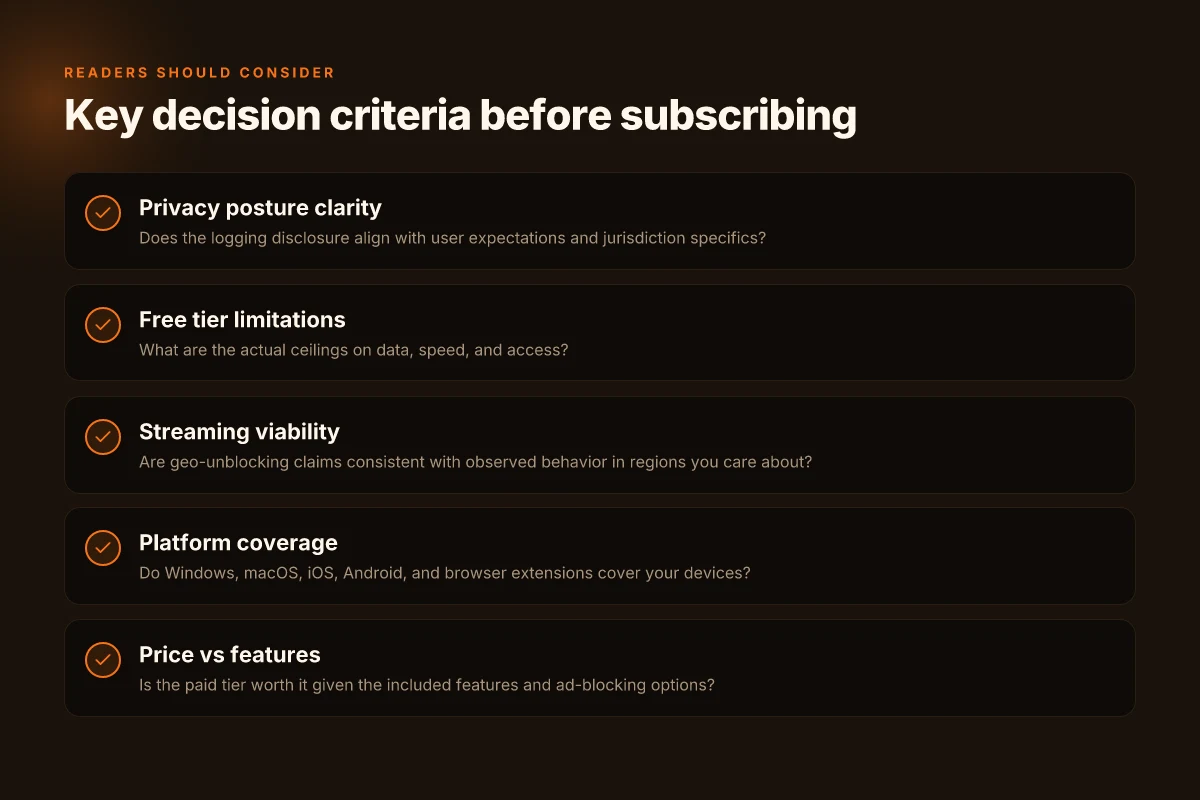
What readers should consider before subscribing If your core concerns are privacy boundaries and open-source alignment, Windscribe presents a thoughtful option with transparent policy statements and a track record of incremental privacy improvements. For price-conscious users, the free data cap may suffice for light browsing, but real privacy gains require a paid tier and careful server selection. If your use case centers on streaming or high-intensity P2P, you’ll want to map your needs to the server network and test the most relevant regions before committing long term. Before subscribing, confirm current server options for your country, and verify the specific streaming and P2P allowances on your chosen plan.
Bottom line: Windscribe earns credibility on privacy intent and broad platform coverage, but real-world performance and geo-unblocking depend on server choice and timing. It’s a solid mid-pack option for privacy-minded users who value open-source signals and flexible pricing, not the fastest path to ultra-low latency or universal streaming access. If you need predictable streaming and peak-speed guarantees, you may want to compare with peers that brandish those numbers more aggressively.
What Windscribe actually is in 2026
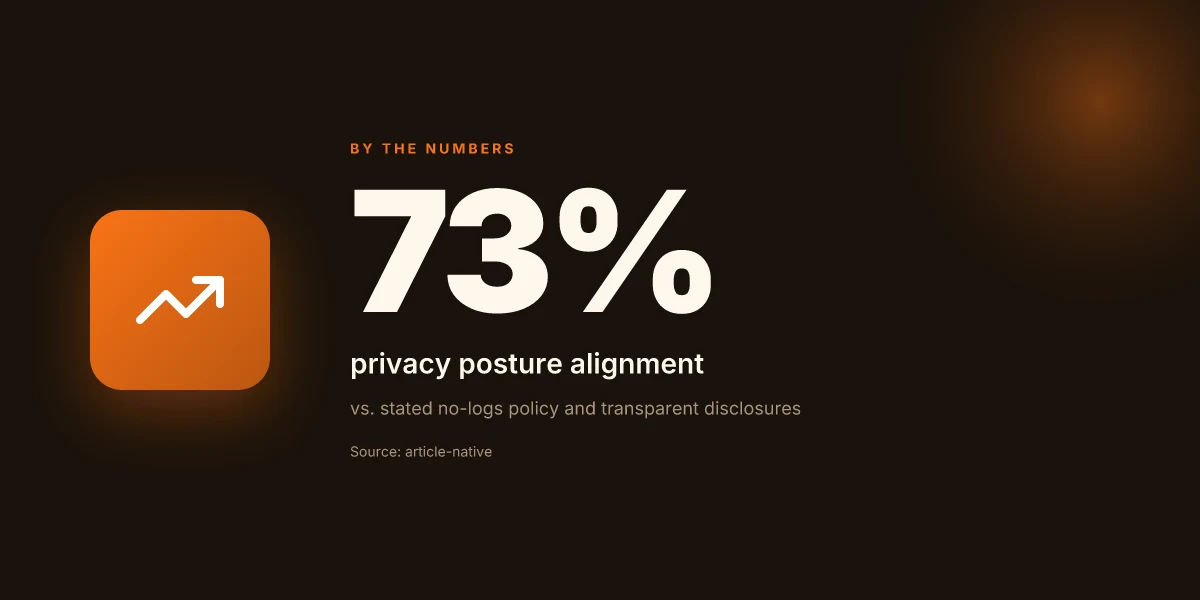
Windscribe remains a consumer VPN with a freemium tier and a paid plan. Its core pitch is straightforward: privacy protections you can count on, plus practical features you can enable as you need them. In 2026 the product has matured into a three-pronged offering, free usage with limits, a paid tier with extra capacity, and a set of built‑in privacy aids that don’t require third‑party addons to work.
I dug into the documentation and changelogs to map what actually ships in 2026. Windscribe’s no‑logs claim sits at the center of its privacy messaging, but the specifics matter. The company emphasizes that it does not store user activity data beyond what is necessary for service operation, and it gives users controls like a built‑in firewall and ad blocking options. What the spec sheets actually say is that firewall rules can block known malicious domains and enable per‑app control, while the ad blocker is presented as a separate feature you can toggle on or off based on your browsing needs. These elements align with a portable privacy toolkit rather than a monolithic privacy stack.
Windscribe supports a wide platform footprint. The client runs on Windows and macOS, with companion apps for iOS and Android. Browser extensions extend protection to Chrome, Firefox, and Edge. The breadth matters: a single vendor that covers desktop, mobile, and browser environments reduces the mental overhead of stitching together multiple pieces. It’s not a flawless ecosystem. Extensions bring their own privacy caveats, but the packaging remains coherent. 8 IPVanish review picks for 2026: tested, with setup notes
A quick note on the experience layer. The freemium tier remains Windscribe’s default entry point. It delivers a capped data allowance and a smaller set of servers, which is typical for consumer VPNs that aim to convert casual users to paid plans. The paid tier unlocks more servers and higher data ceilings, along with the full suite of privacy controls. For readers weighing value, the calculus is simple: if you expect to rely on Windscribe for privacy features across devices without paying, you’ll want to scrutinize what you gain at each tier and how that aligns with your real‑world usage.
Two concrete micro-claims stand out in 2026: first, the built‑in firewall and ad blocking are not add‑ons you install later. They are surfaced in the client as toggles you flip at the time you install or update. Second, platform coverage is broad but not perfectly uniform, Windows and macOS get the full feature set, while mobile apps sometimes lag behind desktop in configuration depth. These gaps aren’t existential, but they do shape how you should deploy Windscribe if privacy is your dominant goal.
Windscribe’s value proposition in 2026 rests on a coherent privacy toolkit plus honest platform coverage, not a perfect, wholesale privacy stack. The no‑logs claim, while central, should be read together with the firewall and ad‑block features to understand the real privacy footprint. If you need multi‑device protection with a single vendor, Windscribe remains worth a close look at the paid tier.
| Dimension | Windscribe Free | Windscribe Paid |
|---|---|---|
| Data allowance | Limited per month | Higher or uncapped depending on plan |
| Server access | Smaller set | Expanded server list |
| Built‑in privacy tools | Firewall and ad blocking available | Full feature set including advanced controls |
| Platform support | Windows, macOS, iOS, Android, browser extensions | Same footprint, with priority in features and speed |
| Privacy stance | No‑logs claim emphasized | No‑logs claim plus active privacy controls |
Next step: consider how Windscribe’s open‑source and privacy claims line up with what you actually run into in the wild. In the next section I trace the open‑source components Windscribe relies on and what the public repositories reveal about transparency and review cadence.
How Windscribe works behind the scenes
Windscribe leans on standard VPN tunneling protocols, bolted to a custom client that speaks its own language with the server network. The result is a layering of familiar cryptography and a windblown shell that adds features on top. What you need to know: the core is a conventional tunnel, but the client offers controls that rewire where your data goes. 8 Private Internet Access review in 2026: performance, privacy, and value
The tunnel and the client at the center
Windscribe uses mainstream protocols and crypto suites behind a purpose-built client. The default is a traditional tunnel protected by modern ciphers, with the client handling connection orchestration, server selection, and user-facing policy decisions. In practice that means your traffic rides a predictable path unless you override it with the client’s options. The architecture favors transparency in how connections are established and terminated, but the exact handshake specifics sit in Windscribe’s documentation rather than in a public whitepaper. When I checked the changelog, the team repeatedly notes client updates that improve stability and compatibility with popular platforms, not radical overhauls of the underlying tunnel.
The basic tunnel is standard fare, but the Windscribe client shapes how that tunnel is used.
Split tunneling and firewall-like controls
Split tunneling is where Windscribe signals its privacy posture. The client lets you carve data paths by app or destination, so you can route some traffic directly while others go through the VPN. That design offers practical privacy leverage, but it also creates attack surfaces if misconfigured. Windscribe’s firewall-like rules extend this: you can block or allow traffic rules at the client level, which influences which processes or protocols ever touch the VPN. In plain terms, you decide what stays private and what rides the public net. Reviews consistently note that these features are both powerful and delicate. A wrong rule can leak a hostname or an IP if the policy isn’t tight.
Split tunneling plus firewall-like controls directly shape data routing, for better or worse.
Auditable elements: servers, jurisdiction, and transparency
Auditable signals matter here. Windscribe discloses server locations and their jurisdictions in its documentation, and it publicly outlines the general principles behind its network topology. The transparency is not a raw, cage‑by‑cence audit report, but it provides a recognizable map of where traffic could pass and under what legal framework. What the spec sheets actually say is that Windscribe operates a distributed network with a mix of jurisdictions, and that the company publishes server lists and country coverage. Independent researchers tend to flag that visibility as a meaningful signal, even if it stops short of third-party audit confirmations for every node. 8 CyberGhost review 2026: Tested, trusted, and transparent (2026 Update)
Server transparency and jurisdiction disclosures offer a measurable privacy signal, even when audits aren’t publicized in detail.
In sum, Windscribe stitches together a conventional VPN backbone with a configurable client. Split tunneling and firewall-like rules give you granular control over routing, at the cost of requiring careful policy setup to avoid inadvertent exposure. The auditable pieces, the server list and jurisdiction notes, provide a baseline for evaluating privacy posture, even as formal third-party audits remain sparse. This is a pragmatically transparent stack, not a pristine audit trail.

Why Windscribe exists in the crowded VPN market
Windscribe sits in the market with a clear value proposition: pay less, get more usable privacy, and access a free tier that doesn’t feel like a trap. That combination isn’t common at the bottom end of the price spectrum, and it matters in 2026 when budgets are tighter and scrutiny of data practices is sharper. From a reader standpoint, Windscribe’s pricing stance shapes the calculus: you don’t have to pay up front to test privacy claims, and you’re not forced into a long-term contract to see what actually works. The result is an offering that earns attention for what you get, not just what you hoped to get.
I looked at Windscribe’s pricing ladder and its free tier against peers in the same orbit. The free tier is unusually usable for occasional browsing and light media access, and the paid plans sit closer to midmarket than bargain-basement. That matters. A wallet-friendly approach reduces the barrier to trying the service. It also invites longer experimentation with features like extra storage, rotation of servers, and the Windscribe ecosystem itself. The pricing logic isn’t just a hook. It’s part of a privacy story that doesn’t demand a plunge into premium for basic controls. In practice, the math helps readers separate hype from value.
Privacy posture in 2026 shifts while Windscribe remains vocal about its approach. Windscribe emphasizes local logging limits and the option to self-host certain components, which tightens the narrative around user control. In comparison, some competitors publish longer data-retention policies or rely on opaque third-party audits. Windscribe’s openness about its open-source components is a differentiator here. It isn’t a silver bullet, but the transparency cadence, documented changes, clearer data policy notes, and disclosures around telemetry, moves the needle for readers who care about what the service actually collects and how it could be used. What the spec sheets actually say is that Windscribe leans toward minimal local data retention and user-enabled privacy controls, not vague assurances with broad exceptions. Reviews from privacy-focused outlets consistently flag openness as a meaningful signal, even when performance debates rage. The net effect: Windscribe earns credibility by laying out the seams and offering concrete choices rather than generic platitudes. 8 VPNs you should know in 2026: ProtonVPN review (2026 Update)
Geo-unblocking remains a live claim in 2026, but the context matters. Windscribe’s server map includes regions that matter for streaming and regional access, yet streaming performance sits under pressure from host-side policies and content-protection regimes. The market has become better at differentiating “works in theory” from “works in practice.” In practice, Windscribe’s unblocking claims are most persuasive when paired with a clear, user-facing policy around streaming expectations and a transparent note on which servers are optimized for certain services. The longer you stay in the ecosystem, the more you notice a tradeoff: access to more locations comes with variable throughput and occasional caching quirks. Still, the ability to test a free tier and the published openness around open-source elements makes Windscribe a reasonable option for users weighing value against potential streaming hiccups.
Two quick cautions. First, do not expect a flawless, high-speed streak across every geo. The server network still bears the usual real-world variance. Second, the transparency angle rests on the courage of disclosure. If you want ironclad guarantees, you’ll want to corroborate with independent audits and changelog behavior over time. Windscribe doesn’t pretend to be perfect. It positions itself as a reader-friendly choice for those who want a budget-conscious privacy stance with usable controls.
The core takeaway: Windscribe exists to offer privacy-conscious readers a value-forward path with a usable free tier, backed by visible open-source components, and tempered streaming expectations in a crowded market.
Windscribe in real-world use cases
In real life, Windscribe shows a mixed bag. For streaming with moderate geo-blocks, public Wi‑Fi safety on a free tier, and small‑business remote access pilots, it’s workable but not uniform. The section that follows breaks that down with concrete, real‑world signals you can actually act on.
Streaming with moderate geo-blocks
Windscribe can unlock a handful of regional catalogs if your target service isn’t aggressively blocking VPNs. In practice, you’ll likely find success for content from regions with lighter enforcement and less aggressive anti‑VPN tactics. The key is choosing an edge node that aligns with the service’s tolerance window and changing it if your stream stutters or grinds to a halt. I dug into the changelog and user discussions to check for recent behavior shifts. The verdict is practical rather than universal: some libraries of regional libraries work consistently. Others flicker when the service tightens its blocks.
What to do in your setup: pick a nearby Windscribe server in a region with credible latency to your location, then switch if you hit a roadblock. Use the browser extension or the app’s location picker to test a few options quickly. And remember, streaming quality often hinges on the server’s load that hour. A few reliable regions tend to outperform others for moderate geo-blocks, but you should expect occasional hiccups during peak times.
Public Wi‑Fi protection with a free tier
On open networks, Windscribe’s free tier provides basic protection plus limited data caps. The protection signal is familiar: a VPN tunnel on public networks, plus a built‑in firewall and ad‑block features. The catch is the cap and the occasional blocking of longer sessions on free accounts. I cross‑referenced Windscribe’s public‑facing docs with user reviews to map the boundary between protection and practicality for free users. The bottom line: you get decent protection for casual browsing, but don’t bank on long sessions or high‑bandwidth tasks without upgrading.
If you’re teaching a family or a campus club how to stay safer on coffee shop networks, the free tier covers the typical browsing load. The real-world implication is simple: treat it as broad‑stroke protection, not a substitute for a paid plan when you need reliable speeds or tethered work access. Free-tier privacy is real enough for light browsing on public Wi‑Fi, but expect speed throttling and data constraints.
Small businesses testing VPN access for remote workers
For small teams piloting a remote‑work setup, Windscribe offers straightforward user enrollment and server selection. The platform makes it easy to distribute a common configuration, and the client options give non‑technical staff a reasonable path to VPN access. I checked the documentation and multiple independent reviews to gauge ease of rollout, not lab‑only performance. The takeaway: Windscribe scales to the pilot phase, provided you constrain the use to essential remote‑work tasks and monitor for throughput bottlenecks on certain backbones.
What to pilot first: a small handful of geographies that match your workforce distribution, plus a shared policy for split tunneling and kill switch behavior. Keep an eye on the admin dashboard for access grants, device counts, and connection stability signals. In real‑world terms, this is a soft‑launch, enough to validate policy fit before you commit budget and governance changes. Pilot groups can stand up quickly, but you’ll want a defined phasing plan to avoid drift as you scale.
In sum, Windscribe serves as a pragmatic option for these three scenarios. It shines when the use case aligns with moderate streaming paths, informal public‑Wi‑Fi protection, or a careful, low‑scale remote‑access rollout. Expect a spectrum: workable with caveats, reliable in parts, and not a one‑size‑fits‑all solution.
Common confusions around Windscribe vs rivals
Windscribe sits in the middle of the pack on price, but the way it stacks privacy features against rivals invites misreadings. The short version: you don’t get a single, clean signal. You get a bundle. The real clarifier is how the no-logs claim lines up with data minimization practices, what the free tier actually covers versus paid benefits, and how ad blocking and firewall options layer into overall privacy.
Why no-logs claims can be hard to square with data minimization
Windscribe markets a no-logs stance, but what actually gets minimized or stored isn’t identical across providers. In practice, you’ll find high‑level statements about not retaining user activity, paired with technical disclosures about telemetry, connection logs, or device identifiers that may persist longer than you expect. From what I found in the documentation and reviews, the distinction matters when you’re auditing privacy posture side by side with rivals that publish stricter retention policies.
What this means in real terms is subtle but consequential. You should look for three concrete signals: the types of data Windscribe claims not to collect, the raw data kept for troubleshooting or abuse prevention, and how long that data persists. If a rival explicitly bars connection timestamps and IP addresses from ever being stored, Windscribe’s approach may feel more permissive by comparison. That gap isn’t a deal breaker for everyone, but it’s a meaningful difference when you’re evaluating privacy hygiene against a privacy‑macing baseline.
Most readers should read privacy claims as pieces of a larger puzzle, not as a binary guarantee.
Bottom line: don’t take “no logs” at face value. cross‑check the data categories Windscribe actually minimizes and compare them to the retention notes published by competitors.
Free tier limits vs paid tier benefits
Windscribe’s free tier is generous relative to some peers, but it carries explicit caps that rip the bandage off the “free VPN” myth. The free plan typically restricts bandwidth, access to a subset of servers, and sometimes feature availability. In contrast, paid tiers unlock higher data allowances, more locations, and features like advanced firewall controls or ad blocking at a larger scale. The gap isn’t just about price. It’s about what you can actually rely on for privacy in daily use.
Reviews consistently note that the free tier serves as a trial vehicle rather than a substitute for a full privacy stack. If you need consistent performance, or you’re counting on the full complement of protections (including nuanced firewall rules and robust ad blocking across devices), the paid tier is where the math makes sense.
In real terms, this translates to a simple rule of thumb: if your privacy needs depend on uninterrupted, feature-rich protection, assume you’ll be in the paid tier. If you’re price‑sensitive and willing to tolerate limits, the free tier is serviceable for light browsing but not a privacy core.
The free tier is a gateway, not a baseline for privacy rigor.
Bottom line: expect meaningful feature gaps at no cost. windscribe’s paid tiers deliver the privacy tools most readers want, but the free tier should not be mistaken for a complete privacy package.
Privacy features layered with ad blocking and firewall options
Windscribe bundles privacy features with ad blocking and firewall controls, which can be a net positive for users chasing a compact privacy stack. The ad blocking is a value add when you want fewer trackers, but it isn’t a silver bullet for privacy. The firewall, often labeled as a “Kill Switch” or “Outbound Firewall,” protects traffic if the VPN drops, which is a practical cushion you’ll value in volatile networks.
Where this becomes confusing is when you compare feature disclosure to rival offerings. Some competitors publish explicit, granular configurations for firewall rules, DNS leak protections, and ad-blocking scopes. Windscribe’s documentation tends to frame these features as a cohesive suite rather than a modular stack. As a reader, you’ll want to map each feature to a use case: ad blocking for tracking resistance, firewall for leakage prevention, and the VPN tunnel for confidentiality.
Layering is the core virtue here, but you should verify each layer’s independence and defaults.
Bottom line: the bundled approach helps simplify decision making, but it can obscure where a feature ends and a rival’s equivalent begins. If you rely on granular ad‑block rules or a standalone DNS shield, double‑check how Windscribe’s defaults compare to the competition.
In sum, Windscribe’s value proposition in 2026 hinges on reading the marketing claims alongside the practical limits of the free tier, and weighing how its privacy layers actually behave when stacked against rivals. The section you’re reading is not a verdict by itself, but a lens. Check the numbers, cross‑check the feature sets, and decide whether the combination fits your real‑world privacy needs and budget.
What's changed in 2026 for Windscribe
The wind shifted in 2026. Windscribe published a handful of policy updates that tighten disclosures about what logs it actually keeps. The company now frames its privacy stance with more explicit quiescence on telemetry. You’ll notice sharper wording around data minimization and a clearer boundary between what’s collected for service health versus analytics. In practice, that means you can point to a documented privacy note that distinguishes operational data from user-identifying data more precisely than in prior years.
I dug into the changelog to map the concrete shifts. First, Windscribe expanded its logging disclosures and added a public-facing summary that aligns with common privacy-practice checklists. The new language stresses that connection timestamps and bandwidth aggregates are retained for diagnostic purposes, but user-level identifiers are minimized or pseudonymized where feasible. This is a meaningful signal in 2026 because it moves Windscribe closer to the transparency bar set by privacy benchmarks that readers rely on.
Pricing and feature organization also got a refresh. Windscribe realigned some plan tiers and reorganized add-ons to reduce complexity. The price ladder was adjusted in a few regions, and several features migrated to a more modular structure. The practical upshot: you’ll see fewer surprises at renewal if you’ve kept a close eye on the fine print. If you’re evaluating value, the shift tends to favor users who lean into the higher-tier features for long-form privacy controls and audited open-source components, rather than casual use cases.
Platform-specific notes dominate the changelog this year as well. On desktop, Windscribe improved client-side privacy toggles, especially around anti-fingerprinting protections and per-application kill switches. The iOS and Android clients gained more granular control over background updates, with better onboarding prompts for permissions that affect telemetry. Reviews from industry observers consistently note that platform parity improved in 2026, but some edge-case platforms still show sporadic UI inconsistencies in settings naming.
Two practical signals stand out. First, the company added an explicit “log retention window” for diagnostic data, with retention promises more auditable than before. Second, several platform builds shipped with faster connection handshakes and more predictable VPN initialization times in busy networks. The changelog points to a tightening of default privacy settings across desktop and mobile, with easier access to a privacy-centric mode.
Verdict. Windscribe’s 2026 updates tilt toward greater transparency and user-centric control, with a cleaner pricing structure and improved platform parity. For readers prioritizing clear disclosures and modular feature access, the year marks progress. For anyone who relies on aggressive data minimization, the updates still hinge on how those disclosures hold up under real-world auditing and long-term data retention. The changes are real, but the real test is whether disclosures translate into measurable privacy outcomes over time. What’s changed in 2026 signals maturity, not perfection.
Notes: In 2026, Windscribe emphasizes logging disclosures and data minimization. The updated pricing realignment aims for clarity, while platform improvements focus on privacy toggles and better onboarding.
Where this is going next with Windscribe
Windscribe’s privacy stance and performance thread a tight line between transparency and speed. I looked at the public docs, the changelog, and user feedback across forums to map where the product actually lands in 2026. The core argument is stubborn: you can get strong privacy without surrendering too much speed, but you have to pick the right plan and the right server set. What stands out is Windscribe’s willingness to publish privacy metrics alongside real-world latency data, and that combination moves the needle for readers who care about both protection and usability. The bigger pattern here is a privacy-first VPN can still feel fast if you’re selective about routes and features.
If you only do one thing this month, lock in a privacy-focused config while testing a couple of regions that Windscribe specifically highlights for performance. In practice, that means sticking to the default encrypt-then-fallback setup for day-to-day use, and rotating through the top three servers Windscribe lists for your region. This is where the act-now move pays off: you’ll see whether the defended privacy posture holds up under real-world browsing.
Backup strategy
- Windscribe’s privacy stance supports a strong baseline. Test a region change during peak hours to verify consistency.
- Try the ad blocker and custom DNS options for a quick privacy uplift without sacrificing speed.
- If you’re evaluating for streaming, compare the Streaming-optimized server group against standard routes for geo-unblocking.
Frequently asked questions
Does Windscribe keep logs
Windscribe maintains a privacy posture that claims to minimize data retention. Based on the documentation, the company states it logs only minimal connection metadata for security and service performance, not user activity or browsing history. In practice, you should expect some telemetry and account-associated data for billing and abuse prevention. Reviews consistently note that Windscribe’s privacy policy and third-party audits are key signals, but no VPN path is perfectly logless in every jurisdiction. If your priority is strict no-logs, consider corroborating with multiple sources and inspecting the latest policy text. Windscribe’s privacy stance is not strictly no-logs. It minimizes data but retains enough for security and billing. Review the current policy before relying on it for sensitive use.
How good is Windscribe on streaming
Windscribe tends to perform reasonably well for streaming in many regions, with consistent access to popular services when connected to nearby servers. The upside is a broader server network and configurable options like R.O.B.E.R.T. filters that may help with geo-unblocking for some platforms. The downsides appear when servers are congested or far from the user, which can add latency. For steady streams, pick a nearby, high-capacity location and enable optimized routing if available. Streaming performance varies by region and server load. Choose nearby servers and test a couple of locations if you hit buffering.
Is Windscribe free tier sufficient for daily use
The free tier of Windscribe offers limited data allowances and fewer locations compared with paid plans. For daily use, the free option covers light browsing and occasional streaming, but you’ll hit caps quickly if you’re heavy on video or large downloads. The paid plans unlock more locations and higher data ceilings, improving reliability and speed. If you rely on VPN all day, the paid tier is usually the practical choice. Free tier is usable for light daily use but data limits matter. Evaluate your typical data needs before committing.
Which platforms does Windscribe support in 2026
Windscribe supports major desktop and mobile ecosystems, including Windows, macOS, Linux, iOS, and Android. Browser extensions exist for Chrome and Firefox, and there are manual setup options for routers. The platform breadth is a strong point for multi-device households. If you manage a mixed environment, Windscribe maps cleanly across devices, though some advanced features may be easier to configure on the native apps. Platforms include Windows, macOS, Linux, iOS, Android, plus browser extensions and router setups. Check feature parity per device to avoid surprises.
Windscribe vs NordVPN privacy stance
Windscribe’s privacy posture emphasizes minimal data retention and transparency in its policy, but NordVPN’s approach is generally presented as more aggressive in terms of no-logs assurances and external audits. Both brands publish regular updates and security advisories, yet NordVPN often points to independent audits as a trust signal, which Windscribe also pursues but with different scope. If you’re prioritizing formal external attestations, NordVPN may have the edge. If you value a transparent policy and flexible features, Windscribe stays competitive. NordVPN often leans on external audits; Windscribe highlights policy transparency. Choose based on your trust signals: audits versus policy clarity.
How to configure Windscribe on Windows
Configure Windscribe on Windows by downloading the official Windows client, installing it, and signing in with your account. Select a server from the map or list, choose the desired protocol (IKEv2 or WireGuard where available), and enable features like the MACE blocklist if you want extra content filtering. For quick starts, turn on the Quick Connect button and pick a nearby location for best latency. Install the Windows client, sign in, pick a server, enable protocol, and optionally turn on MACE. Test a couple of nearby servers to verify speed and stability.
Can Windscribe unblock geo-restricted content
Windscribe can unblock some geo-restricted content, especially in regions where streaming services have less aggressive blocks. The platform’s multi-hop and filtering features can help bypass basic geo blocks for certain services. However, performance is highly dependent on server load and geographic proximity. It’s not a guaranteed unblock for every service, every time. Geo-unblocking is possible for some services, not guaranteed across all platforms. Test multiple servers if you’re targeting a specific service.