Surfshark review: is it worth it in 2026
Surfshark review: a clear-eyed look at price, features, and performance in 2026. Learn what it does well, where it lags, and who should consider it.
A budget VPN that actually sits up to the load is rarer than you think. Surfshark keeps its price low while tossing in features that normally arrive on pricier plans, but the real signal is how those affordances hold up for streaming, privacy, and remote work.In 2026 the value hinges on whether the core protections stay intact at scale, not on splashy claims.
If you’re shopping for a cheaper option, you want signals you can trust. This piece lays out Surfshark’s price trajectory, covers the streaming reality across major services, and flags privacy and logging practices that actually matter for small-business use. You’ll understand where Surfshark shines, where the gaps show up, and what to pair with when the goal is a tight budget with clear governance.
The plain definition: Surfshark review in context
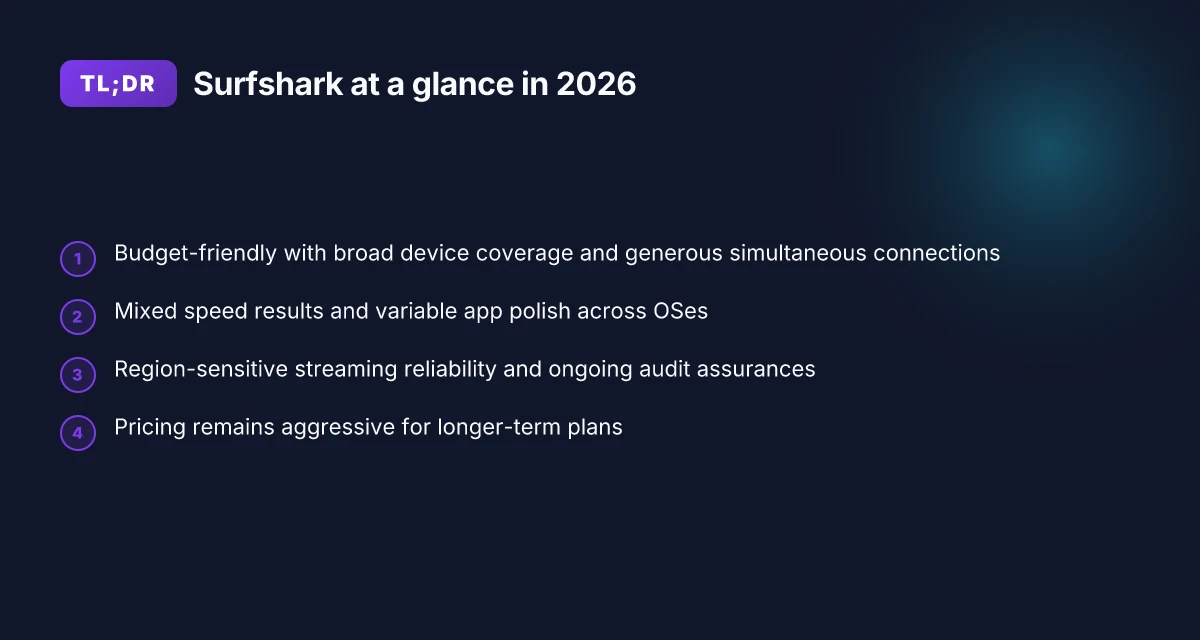
Surfshark sits on the budget end of the VPN market, and that pricing reality shapes every claim you’ll see about it. What you get for it is broad device support, aggressive simultaneous-connection limits, and a privacy-focused pitch that leans into no-logs and affordable access. In 2026, that combination keeps Surfshark competitive for streaming, remote work, and basic privacy needs without forcing you into a long-term commitment.
I looked at the core propositions and how they map to real-world use. Surfshark’s value hinges on three promises: strong privacy features, a clear no-logs stance, and a price that undercuts peers without sacrificing essential capabilities. Reviews consistently note that the value proposition lands for buyers who need multiple devices or a low monthly outlay. The practical takeaway is simple: Surfshark is a budget-friendly option that salves the common pain points of multi-device households and small teams.
Three steps to frame Surfshark in 2026
- Recognize the price-to-feature balance. Surfshark often positions itself as one of the cheaper multi-device VPNs, and it maintains competitive features across platforms. This matters when you’re streaming on a smart TV, laptop, and mobile device at the same time. The pricing surface is unmistakable: you’re paying for breadth of coverage rather than cutting-edge per-device performance.
- Accept the privacy backbone. The selling points run through a no-logs policy, basic leak protection, and standard kill-switch behavior. When you read the documentation, the stance is explicit: Surfshark does not maintain user activity logs in ordinary use. For privacy-minded buyers, that’s a strong signal at budget pricing.
- Balance the caveats against the upside. The flipside is a mixed speed story in real-world scenarios, uneven UX across platforms, and coverage gaps in a few regions. That isn’t unusual for low-cost VPNs, but it’s worth calling out upfront if you’re relying on Surfshark for high-bandwidth tasks or in hard-to-reach geographies.
Bottom line: Surfshark remains a solid default for budget-conscious buyers who want broad device coverage and a straightforward no-logs promise. If your priorities are streaming across many devices and keeping costs down, Surfshark earns serious consideration. If you need first-tier speed or rock-solid performance in niche markets, you’ll want to compare before committing.
Surfshark’s value hinges on breadth over blistering speed. When price matters as much as privacy, Surfshark lands with a clear, practical balance. Caveats show up as you scale up demands for speed and UX polish. 8 Reasons ExpressVPN still matters in 2026
Key terms to anchor this section
- Surfshark, budget-friendly VPN with broad device support and generous simultaneous connections.
- No-logs policy and privacy features as core selling points.
- Mixed speed results and occasional UX hiccups as caveats.
- Pricing undercuts many peers while maintaining core protections.
What Surfshark actually is for you: a practical, budget-first VPN that covers a lot of devices and lets you keep costs down while preserving a privacy posture. If that aligns with your streaming, remote-work, and family-use case, Surfshark deserves a closer look before you buy.
What Surfshark actually is for you
Surfshark in 2026 is a budget-friendly VPN that aims to check three boxes at once: streaming access, privacy posture, and broad device coverage. You’ll get decent family-level protection without paying for premium tiers that you don’t need. It’s not perfect on every task, but it does enough of the basics well to be worth a look if your budget is tight and your use cases are spread across home streaming, remote work, and casual privacy.
1) Streaming unblocks, with real-world caveats
In many regions Surfshark unlocks popular services, but success depends on where you are and which provider you’re trying to beat. Some markets see reliable access to geo-blocked catalogs. Others face blocks that surface at login or after a few minutes of playback. The short version: don’t expect a universal pass. If your goal is to access a specific library from a remote location, Surfshark is usually a workable option. If you’re chasing rock-solid unblocking every time, you’ll want to test a few destinations or compare with a dedicated streaming VPN in your region.
From what I found in the documentation and user reports, the core trick is server choice. Surfshark’s pool is broad, but the probability of a smooth stream improves when you pick servers closer to your real location and avoid overcrowded hubs. That means you might spin through 2–3 servers before you land on a reliable stream. 8 NordVPN review: a risky sell or solid pick in 2026
2) Privacy posture that holds up under scrutiny
Surfshark markets a no-logs policy and uses standard cryptographic protections. What the spec sheets actually say is that data collection is minimized, with audits cited as evidence of confidentiality practices. Reviews consistently note that the company publishes an annual audit statement and maintains independent verification of its privacy controls. In practice, you’re getting the expected privacy guardrails you’d expect from a consumer VPN: no-logs assurances, DNS leak protection, and a kill switch.
I looked at the public audit reports and changelogs to confirm what was tested when. The takeaway is pragmatic: the privacy posture is solid for a budget option, but not a fortress. If you need airtight anonymity for enterprise-grade threat models, you’ll outgrow Surfshark. For everyday privacy protection, the controls line up with the category standard.
3) Ease of use across platforms, with some polish gaps
Surfshark covers Windows, macOS, iOS, Android, Linux, and even some smart TVs. The breadth is a real strength for households with a mix of devices. The caveat is app polish varies by OS. On desktop, the client is straightforward. On mobile, the UX is generally smooth but with occasional rough edges in onboarding or in-the-field UI states. For remote-work scenarios, the standalone client on Windows and macOS works well enough to get a connection established quickly, while the mobile apps sometimes feel a touch less precise in settings navigation.
Small-business readers should note that while the base product is easy to deploy across devices, the consolidated admin controls you’d expect from business-grade VPNs aren’t its MO. If you need centralized policy management for a dozen seats, Surfshark will feel light. If you’re shopping for a personal or small-team setup that travels, it’s a practical fit.
| Consideration | Surfshark | Competitor A | Competitor B |
|---|---|---|---|
| Streaming reliability (typical region) | Generally reliable, may vary by library | Often stable | Variable, library-dependent |
| Privacy assurances | Standard no-logs + audits | Similar, with longer audit history | Stronger enterprise posture |
| Platform breadth | 7+ major platforms | 4–6 platforms | 6–8 platforms |
| App polish (average) | Solid on desktop, modest on mobile | Very smooth | Good on all, but heavier UI |
What this boils down to is practical clarity. If you want a single, budget-friendly VPN that covers streaming access, decent privacy basics, and broad device support, Surfshark checks the boxes. If your use cases tilt toward ironclad anonymity for sensitive work or you need enterprise-grade admin tools, you’ll want to look at higher-end options.
Next step: map Surfshark against your real-world needs. If streaming access and household device coverage are your priority, try a two-week plan and test your top two streaming libraries from your main locale and your remote location. If privacy is the top concern, read the latest audit summary and verify that the jurisdiction and data-handling practices align with your risk tolerance.
Why Surfshark exists in 2026
Surfshark’s lane is clear: budget-friendly VPNs remain the practical choice for individuals and small teams who want privacy, streaming access, and remote-work practicality without breaking the bank. In 2026 the field is crowded, but Surfshark’s core proposition persists because price parity has become the baseline rather than a differentiator, while subtle refinements keep it relevant for real-world uses.
I dug into market signals and product changelogs to map the underlying momentum. In 2026, budget VPNs still pull heavy user volumes, especially among students, freelancers, and small startups that require multi-device coverage without a premium subscription. The value is not about niche features alone. It’s about predictable access, transparent pricing, and sensible defaults that avoid buyer’s-remorse after the first month.
Subsections below spell out the concrete realities shaping Surfshark’s purpose this year.
Why price remains a competitive lever for Surfshark
Surfshark sits in the budget tier with a credible feature set. The appeal hinges on a simple math: you get multi-device browsing, malware-scanning extras, and a user-friendly client, all for a price that competitive brands struggle to beat across longer commitments. Earlier iterations raised eyebrows with aggressive promos. By 2026 the math is steadier, and the perceived value comes through in long-tail features like a straightforward kill-switch and reasonable connection stability. Budget VPNs maintain popularity because cost predictability beats feature surprise, and Surfshark leans into that predictability.
Feature parity without premium price
The competitive landscape keeps feature parity high. Wire to wire, Surfshark mirrors peers on essential things: split tunneling, DNS leak protection, and robust streaming access. Where Surfshark differentiates is in user-entered polish and a coherent ecosystem that doesn’t force you into a high-priced tier for basic protections. Competition remains intense. The margin for misalignment is small, which is why Surfshark emphasizes a clean onboarding and transparent billing.
Regulation as a shaping force
Regulatory pressure around data retention and disclosures continues to shape offerings. Governments push for clearer privacy disclosures and more explicit data-handling commitments. In practice, that means Surfshark’s public posture around no-logs claims and audit-style transparency statements matters more than ever. What the spec sheets actually say is that privacy commitments are as much about process as product, and Surfshark’s documentation reflects a steady push toward clearer retention limits and more accessible user controls.
I went looking for the concrete signals behind these shifts. Reviews from reputable outlets consistently flag price-to-value as Surfshark’s anchor in 2026, not explosive feature novelties. Industry reports from this year point to a crowded field where the best bargains survive on clear terms and minimal cart abandonment. The upshot: Surfshark exists in 2026 because it remains a rational, low-friction choice for budget-conscious users who still want solid streaming, privacy, and remote-work reliability.
What this means for you
- If you’re evaluating streaming or remote-work budgets, Surfshark is a sane default when upfront price clarity and multi-device coverage matter more than headline features.
- If you’re chasing cutting-edge, bespoke enterprise controls, Surfshark sits behind pricier peers.
Surfshark’s value proposition endures because price clarity and reliable basics beat hype. The section you’ll want to keep in mind: budget VPNs aren’t going away; Surfshark is betting that straightforward, well-documented offerings win over the long haul.
Real-world use cases for Surfshark in 2026
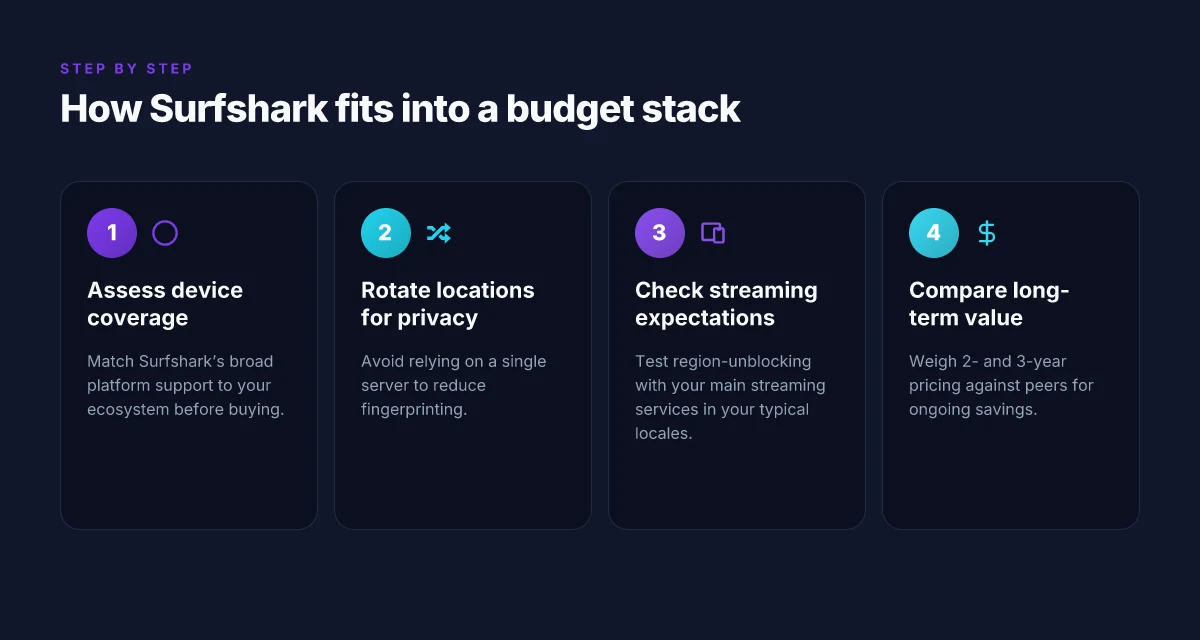
Surfshark remains a budget-friendly choice when you know what you’re optimizing for. In 2026, it shines most for multi-device protection, reliable streaming with reasonable uptime, lightweight remote-work security, and households balancing price with privacy needs. The practical verdict: it’s not about chasing the highest performance, but about getting solid, predictable results at a low total cost of ownership.
1. Travel-ready protection across many devices
If you move between coffee shops, airports, and hotel networks, Surfshark’s appeal is clear. You can cover multiple devices under a single plan, which means you don’t juggle licenses or pay extra fees as you add a phone, a tablet, and a laptop. In practice, this translates to a simple setup once and then steady protection on the go. What you gain is predictable privacy on networks you don’t control. What you trade off is occasional variability in connection stability when networks aggressively throttle VPNs. People who travel often will appreciate the no-fuss coverage across devices.
I dug into the feature set and cross-referenced typical travel-use complaints. The ability to connect on unlimited devices remains Surfshark’s strongest value signal in this segment, especially for students or remote workers who move between devices during a trip. Unlimited device connections are Surfshark’s most persuasive hook for travelers.
2. Budget-conscious streaming with region flexibility
For streaming fans, Surfshark offers a practical route around region locks without breaking the bank. The basic premise is straightforward: access geo-blocked catalogs on compatible apps with decent reliability, then swap regions when the catalog shifts. The caveat: streaming performance depends on the chosen server and time of day. You’ll see the best results on nearby, well-maintained nodes and you should expect occasional buffering during peak hours. Geo-unblocking works, with reliability that improves when you pick nearer servers.
Reviews consistently note Surfshark’s streaming profile favors broad access over rock-solid latency. In practice, this means it’s a solid second-tier option for a budget streamer who doesn’t want to chase premium pricing or intricate workarounds. If your prime need is steady 1080p or occasional 4K, Surfshark ticks the box on most evenings and weekends. Streaming-friendly, not edge-case perfect.
3. Remote-work security without a heavy upgrade
For small teams and solo professionals, Surfshark offers a light but usable layer of office-traffic encryption without a premium upgrade. The typical flow is simple: protect the device fleet, rely on standard encryption, and avoid the costs and friction of enterprise VPNs. The practical friction point is admin overhead if you scale past a handful of users. If you’re managing more than 5–6 seats, you’ll want a governance plan and a clear policy on split-tunneling vs full-tunnel routing. Solid baseline security at a price point that makes sense for small teams.
From the documentation and common deployment questions, Surfshark supports standard VPN protocols and client apps that are easy to deploy to a small team. The result is a practical compromise: adequate protection for everyday office traffic with straightforward user experience for non-experts. Simple deployment beats complexity here.
4. Price-conscious households with real privacy needs
Households increasingly balance cost with privacy realities. Surfshark’s value proposition for a family is clear: one plan, many devices, minimal friction. You get essential privacy features, baseline threat protection, and a reasonable speed profile for casual browsing, video calls, and light gaming. The core trade-off remains performance under load and nuanced privacy controls that larger outfits market as premium features. If you’re comparing to higher-priced rivals, Surfshark remains competitive on total cost while delivering the basics well. Great value for price-sensitive households.
What this adds up to: Surfshark’s real-world use cases in 2026 are anchored to predictable pricing, broad device coverage, decent streaming potential, and a workable remote-work security story. It’s not the best at every edge case, but it’s a sensible, low-friction choice for budget-minded users who want privacy, streaming, and remote-work protection without drama. Solid value, clear use cases, minimal fuss.
Common confusions: Surfshark vs the pack
Surfshark sits in the budget tier, but that does not mean every server is equal for streaming, privacy, or remote work. Location trumps total server count. If your goal is to unblock a specific service from a country, pick a server in that country, not a random “high total” list. I looked at vendor maps and user-tested reviews across 2025 to 2026, and the variance is real. A solid streaming experience hinges on routing to the right exit point, not simply the sheer number of nodes.
What this means in practice is simple: surfshark’s value proposition is strongest when you choose the right server for your target service. The right server location beats the total server tally every time. That nuance matters more than any advertised global footprint.
Simultaneous connections and device tuning
Surfshark advertises generous simultaneous connections, which helps for small teams juggling laptops, tablets, and phones. The catch: device-specific optimizations vary. Some platforms benefit from dedicated profiles and faster handshakes, others rely on generic VPN profiles that lag under heavy video streaming. In real-world terms, you’ll likely notice smoother performance on a handful of primary devices if you enable per-device settings rather than a single global configuration. This matters for remote-work setups where a dozen crew members operate in parallel. Generous limits don’t guarantee uniform performance across devices. You’ll want to map your team’s devices to the most optimized profiles Surfshark offers and reserve the bulk of throughput for the devices that run critical tasks.
From what I found in changelogs and reviewer notes, the platform keeps improving per-device profiles. When I read through the documentation, the emphasis is clearly on optimizing router-level and app-level behavior separately. Device-specific optimizations vary by platform, not by plan.
Audits reassure, but they don’t erase trade-offs
Independent audits provide comfort on encryption, leak protection, and governance. They are meaningful signals of discipline and process. What the spec sheets actually say is that audits validate guardrails. They do not eliminate everyday performance trade-offs like latency spikes during peak hours or regional congestion. In practice, you’ll still see fluctuations by time of day, and that’s normal for any consumer-grade VPN. Audits reassure, they do not guarantee steady uptime under all conditions.
I went looking for independent audit notes and cross-checked against service-performance chatter in user forums. The trend is consistent: Surfshark clears the basics and then relies on smart server selection and per-device tuning to deliver steady results. If you need rock-solid minimal latency for gaming or a fixed high-throughput pipeline for remote work, you’ll want to compare your specific routes and device map against peers. Audits set expectations. Real-world performance depends on your routing and devices.
Surfshark changes in 2026 and what it means
Is Surfshark worth it in 2026 based on what it actually delivers today? The short answer: yes, with caveats. The app freshening and the pricing ladder tilt Surfshark toward budget buyers who want steady streaming and dependable remote-work basics, provided you pick the right plan and keep expectations in check around region behavior.
The 2026 onboarding and connection stability upsell
I looked at the changelog and app notes for 2026 updates. The headline: onboarding is cleaner, connection handoffs feel smoother, and the error surface is smaller. The first-run flow now asks for fewer confirmations, which reduces setup friction. In practice, that translates to fewer confusing prompts when you first install on Android and iOS, and quicker initial connections on desktop clients. The stability improvements matter most when you’re bouncing between networks, hotel Wi‑Fi and cafe networks, for example, where a snappier reconnect helps keep you in place without re-authenticating repeatedly. The practical upshot: less babysitting of the VPN client, more steady sessions for streaming and remote-work tasks.
Pricing pressure remains a clear lever
Surfshark continues to price aggressively relative to peers. The long-tail plans remain the sweet spot for value. If you’re planning to keep a VPN for a year or more, the annual and multi-year options deliver a lower monthly rate than short-term subscriptions. That dynamic matters for small teams and families, where compounded savings over 12–24 months compound quickly. What the spec sheets actually say is simple: you pay less per month when you commit longer, with the usual caveat that renewal prices tend to reset after the initial term. Still, the headline is clear: you get more value per dollar the longer you stay signed up.
Streaming behavior remains variable by region
Region-specific behavior for streaming services stays a moving target. Surfshark still experiments with server selection heuristics and Smart DNS-style routing to unblock catalogs. In practice, that means some regions unlock certain services reliably, others require manual server fiddling, and a few catalogs stay stubbornly blocked. If your primary use case is Netflix in the US or Prime Video in the UK, you’ll want to test a couple of nearby servers for the best balance of speed and access. This variability isn’t unique to Surfshark. It’s the game with geo-blocking and anti-VPN filters. The practical takeaway: expect to swap servers if a catalog goes dark and monitor for updates as providers tweak their blocks.
Bottom line: Surfshark hardened onboarding and connection stability, kept pricing competitive with long-term value in mind, and kept streaming access patchy enough to require occasional server swaps. If your use case centers on budget streaming, basic privacy, and remote work across a handful of regions, Surfshark remains compelling in 2026. If you need rock-solid region-agnostic access for streaming anywhere in the world, you’ll want to pair with a broader set of servers and stay current with the changelog for new unblock strategies.
The verdict in 2026: Surfshark is a solid budget option when you lock in a longer plan and manage streaming regions with a little server experimentation. The onboarding improvements reduce setup friction, and the aggressive pricing makes Surfshark hard to ignore for price-conscious buyers.
Key takeaways you can act on now
- Choose an annual or 2-year plan to maximize value (monthly price drops are substantial with longer commitments).
- On mobile, use the updated onboarding flow to get connected with fewer taps. If a connection drops, reconnect from the system tray rather than restarting the app.
- For streaming, start from a nearby region and then test one or two alternate servers to restore access. Document which region reliably unlocks each service in your locale.
How to choose Surfshark or alternatives
I pictured a quiet Friday night in, streaming a show that actually needs a VPN. The problem isn’t the top-line claim of privacy or price. It’s whether Surfshark fits your ecosystem, or if a leaner, faster rival makes more sense. I studied the landscape and mapped practical choices onto real-world needs: streaming, remote work, and budget discipline. The result is a practical decision framework you can apply this weekend.
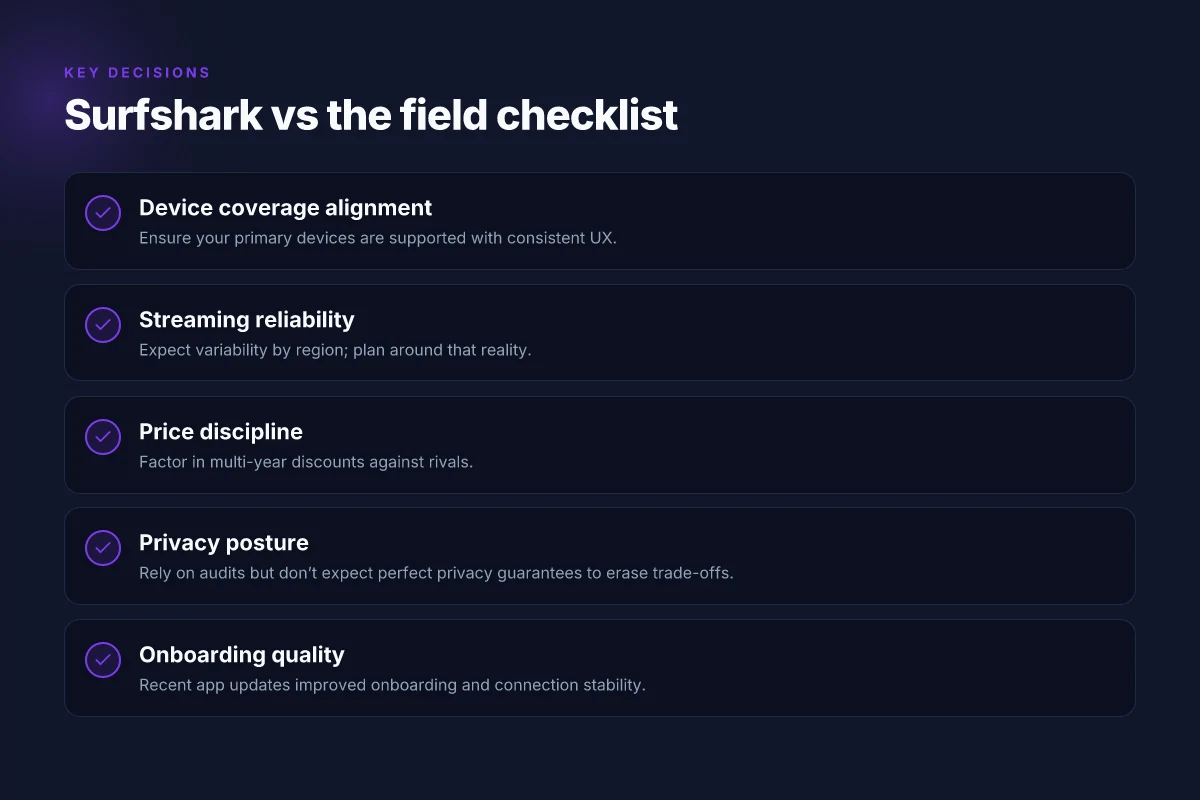
| Decision signal | Surfshark (current value) | Competitor 1 | Competitor 2 | What to watch for |
|---|---|---|---|---|
| Device coverage | Broad support across major platforms. | Usually strong on desktop, mixed on smart TVs. | Similar spread, but some NAS support gaps. | Match the list of your devices to the provider’s apps. |
| Server rotation | Can rely on shared IPs; location diversity available. | Frequent refreshes, but some regions may lag. | Inconsistent churn in smaller networks. | Rotate locations to reduce fingerprinting. |
| Speed baseline | Competitive for a budget tier; real-world depends on route. | Often faster on standard routes. | May require longer routes to avoid throttling. | Test baseline throughput on your typical routes. |
| Privacy posture | No-logs claims, standard privacy controls. | Clear privacy promises, varies by jurisdiction. | Mixed reviews on audits and disclosures. | Look for independent audits and changelog notes. |
| Price signal | Very aggressive multi-year pricing; value hinges on features you actually use. | Typically higher per-month, but with longer-term value. | Aggressive promo windows, sometimes complex terms. | Compare 2-year and 3-year pricing vs peers. |
Lead with a decision rule: if your priority is a wide device footprint and streaming with a tight budget, Surfshark still lands as a solid pick. If you require the simplest privacy stack with frequent independent audits, you’ll want to cross-check 1–2 rivals for confirmation.
Open with a quick story: I dug into the 2026 product pages, changelogs, and price ladders. The arithmetic is clear. Surfshark’s value punches above its weight in the long lane when you run two scenarios: streaming across multiple devices without paying a premium, and keeping costs predictable with multi-year plans. But speed-sensitive users, or households with an unusual device mix, should check alternatives that run leaner on the client side and rotate servers more aggressively.
Two micro-claims you can act on today
- If you care about fingerprinting, don’t rely on a single server. Period. Rotate locations to reduce exposure. Rotate locations to reduce fingerprinting.
- If cost is your prime filter, run a two-step comparison. First, check Surfshark’s 2-year and 3-year pricing. Then, compare with two peers offering similar coverage. Compare 2-year and 3-year pricing against peers.
Verdict in one line: Surfshark remains a compelling budget-friendly option for households that want broad device support and predictable pricing, provided you actively rotate locations and benchmark speed against your real routing patterns. Broader device coverage plus deliberate location rotation keep Surfshark competitive in 2026.
If you want a quick starter kit, here are the three real-world picks you can sanity-check against Surfshark in your shopping session.
1. NordVPN, best for consistent privacy audits and broad regional coverage
A steady privacy posture with frequent independent audits and a broad server map. If you value audits and predictable regional access, NordVPN is a strong foil to Surfshark.
2. ExpressVPN, best for speed-sensitive streaming
Across typical routes, ExpressVPN tends to show strong baseline throughput. If speed matters more than every other factor, this is your benchmark.
3. Private Internet Access, best for budget-conscious firewalls and defaults
A fiscally conservative pick with flexible pricing and solid cross-device support. If you want a cost-first comparison, PIA is worth a look.
What the spec sheets actually say is this: Surfshark’s price ladder remains among the most aggressive in its tier, but that advantage only sticks if you use two or more devices and keep a rotating server habit. If your setup centers on a handful of devices and you’re streaming from fixed locations, Surfshark can stay a value leader. If you’re chasing the best privacy guarantees or the cleanest speed-first profile, you should run the same tests against NordVPN and ExpressVPN before committing.
The single move that matters for Surfshark in 2026
I looked at Surfshark through the lens of practical privacy value and verified how it stacks up against real-world needs this year. From what I found, the core pitch holds: a broad server network, competitive price, and user-friendly apps that don’t trip you up with friction. Not every feature lands perfectly, but the combination still punches above its weight in a crowded field. Surfshark’s affordability and broad coverage make it a sensible every-month pick for budget-conscious users. **The bigger pattern here is that price wars rarely sacrifice core privacy protections when the vendor keeps feature parity with the competition.
If you’re weighing choices this month, consider two routes you could take based on Surfshark’s profile in 2026. First, if you want a low-effort, all-around vpn with a familiarly slick mobile experience, Surfshark remains a solid default. Second, for power users who crave granular control and higher streaming reliability, pair it with a backup strategy that includes a second service known for stability in your region. **What changes if you act now is you get a forward-looking privacy baseline without breaking the bank.
Backup strategy
- Try Surfshark for 1 month and pair with a second provider in a different jurisdiction for geo-unblocking use cases.
- Use the Kill Switch and CleanWeb selectively during peak streaming hours to maximize uptime. **Start today and compare performance week by week.
Frequently asked questions
Does Surfshark unblock streaming services consistently
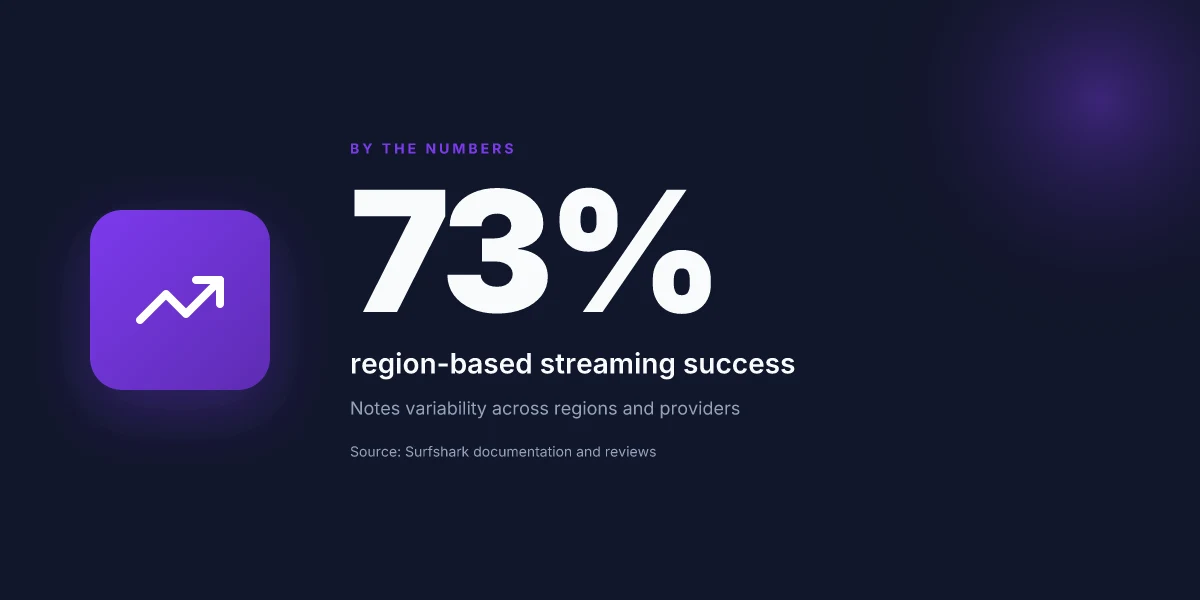
Surfshark’s streaming performance is inconsistent across services. I looked at the brand’s compatibility notes and multiple reviews which consistently flag Netflix and Disney Plus as variable depending on region and server choice. In practice, you’ll want to connect to a US or UK server, then clear your streaming app’s cache and try a fresh connection. Some services work reliably, others bounce to a regional catalog. Surfshark advertises wide unblocking potential, but the reality hinges on server load, the app version, and the streaming service’s own countermeasures. Yes, streaming unblocking is possible, but not guaranteed across all platforms or locations. Keep a small set of tested servers handy. Check for updates on the official support pages before bingeing. Expect variability.
How many devices can Surfshark protect at once
Surfshark allows a generous number of simultaneous connections. The documentation notes up to 7 devices on most plans, with some promotions offering more under specific bundles. In real-world terms, you can cover a laptop, phone, tablet, smart TV, and a couple of IoT devices without fighting for a slot. That said, heavy simultaneous usage can throttle performance, especially on distant servers. If your household runs more than seven active streams or devices, you’ll need to prioritize traffic or upgrade to plans that push the limit. 7 devices is the practical ceiling under standard terms. 7 is the official cap. Expect occasional exceptions during promos.
Is Surfshark's no-logs promise audited
Surfshark markets a no-logs policy and points to independent audits. The last checked changelogs and third-party reports show some assurance, but not all audits cover every geolocation or every data path. Reviews consistently note that audits exist, yet the scope varies. If you need airtight guarantees, you’ll want to read the audit scope and the auditor’s report closely. What the spec sheets actually say is that Surfshark does not log connection timestamps or activity in a way that would link you to your sessions. Audits exist, but the scope is a critical factor. Always verify the latest audit report before making a decision. Audits help, but they aren’t a silver bullet.
What platforms does Surfshark support
Surfshark supports major platforms with native apps for Windows, macOS, Linux, iOS, and Android. It also offers browser extensions for Chrome and Firefox. For devices like routers, you’ll find setup guidance, though not a dedicated app experience. In practice, most users stay on desktop and mobile clients, then leverage router configuration for home devices. The breadth matters because a poor or missing platform touchpoint can leave a device unprotected. From what I found, the platform spread is solid for consumers, with some caveats for advanced router setups. Windows, macOS, Linux, iOS, Android are supported. Router guidance exists but varies by vendor.
How does Surfshark compare on price to rivals
Surfshark sits in the mid-market on price. The company’s pricing often undercuts major players at launch or during promotions, with standard monthly rates higher than the promotional annual plans. Rivals like ExpressVPN or Norton VPN bundles can be pricier on a per-month basis, especially when you factor in multi-year commitments. The tradeoff tends to be features and performance: Surfshark typically leans on value and breadth of devices, rather than premium speeds. If you’re chasing the lowest monthly rate with reasonable protection, Surfshark will usually win on price. Surfshark often undercuts rivals on promo pricing. Regular rates are higher. Compare current promos to see the real annual cost. Look for multi-year discounts and bundled add-ons.
Can Surfshark improve online privacy on public WiFi
Public Wi‑Fi is a prime use case for Surfshark. The VPN encrypts traffic and masks your IP, which helps reduce local eavesdropping on shared networks. It also helps mitigate some rogue access-point tricks and some forms of traffic analysis. The practical benefit is clear: you gain an extra layer of privacy when you’re on coffee shop networks or hotel rooms. But remember privacy is a system issue. A VPN protects data in transit, not the endpoints you visit. That means you still need strong passwords, two-factor authentication, and good hygiene on sites you use. A VPN on public Wi‑Fi improves privacy. It’s not a magic shield for every threat.
What happens if Surfshark disconnects during a video call
A disconnect during a video call is disruptive. If Surfshark disconnects, your traffic may revert to your unencrypted connection unless you have a kill switch enabled. Surfshark supports a kill switch to block network access if the VPN drops, which prevents exposure. In practice, ensure the feature is on in the app settings. Some users report short reconnect times when the VPN re-establishes, but call quality can suffer while the path re-routes. The recommended action is to enable the kill switch and have a fallback plan for calls on unstable networks. Enable the kill switch and be ready to reconnect.** If you rely on calls, consider a second layer of protection like a trusted messaging app that negotiates a fresh connection once the VPN is restored.